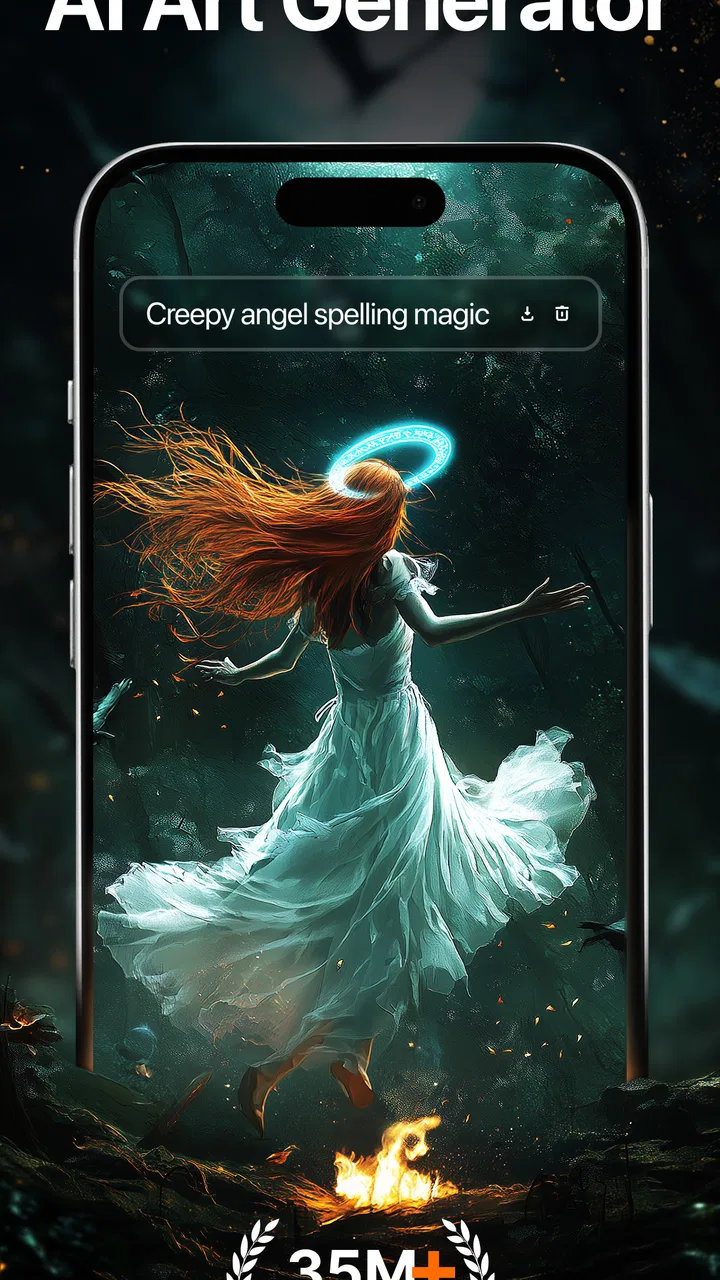
Wonder - AI Art Generator
- 3.3
- Rating
- 10.00M
- Installs
- Free
- Price

 Analysis by App-foxy
I approached Wonder - AI Art Generator as a practical creative tool rather than a replacement for a full drawing program. Its appeal is immediate: you describe an image in words, choose a visual direction, and let the app turn that idea into artwork. That makes it interesting for quick experiments, social posts, mood boards, character concepts, and tattoo inspiration, especially when you have a clear idea but not the drawing skills to express it.
My overall impression is mixed but favorable for the right person. Wonder is easy to approach and broad enough to encourage playful experimentation, yet the results can be inconsistent and the experience is not aimed at artists who need precise control. It is a free app in the Art & Design category from Deep Flow Apps, with a mature 17+ content rating. That age guidance matters because text-to-image tools can produce themes that are not suitable for younger users, depending on the prompts they enter.
The app has built a substantial audience, with over ten million installs, around 117 thousand ratings, and roughly 13 thousand written reviews. Its average rating is 3.3, which matches my sense that the concept is attractive but the experience will not satisfy everyone equally. I would recommend trying it if your priority is fast visual exploration. I would look elsewhere if you need dependable editing, exact anatomy, repeatable characters, or professional file preparation.
You May Also Like

 AccuWeather: Weather Radar
AccuWeather Review: A Quick, Clear Forecast for Everyday Decisions
For everyday plans, the best forecast is the one you can understand quickly. AccuWeather makes rain timing, radar, and local conditions easy to act on, with a few trade-offs.

 Hill Climb Racing
Why Hill Climb Racing Still Turns Crashes Into One More Run
A tiny car, a bumpy hill and one more upgrade: Hill Climb Racing keeps resurfacing because its simple chaos makes every near-miss feel personal.

 AliExpress - Shopping App
AliExpress Makes Global Shopping Feel Personal, but Shoppers Bear the Risk
AliExpress turns a global marketplace into a pocket-sized discovery engine. Its reach is useful, its shopping loop compelling, and its trade-offs easy to miss.

 Lords Mobile: Kingdom Wars
Lords Mobile Is a Kingdom-Building Routine, Not a Quick Match
A case-by-case verdict on the building, battles, device demands, and social commitments that make Lords Mobile rewarding for some players and exhausting for others.

 PDF Scanner app - TapScanner
TapScanner Makes Paperwork Easier to Capture, Check, and Share
TapScanner makes scanning with a phone feel less like a rescue operation and more like a dependable step in getting work done. Its capture tools are useful, though not flawless.

 Block Blast!
 Shows How Much a Puzzle Game Can Leave Out
A quiet grid game shows why puzzle players increasingly value instant clarity, repeatable skill and low-pressure play—and where the genre still needs to catch up.
More From Our News Desk
View All News


What I would judge before choosing Wonder
When I decide whether a creative app deserves a regular place on my phone, I look past the first burst of novelty and ask what I would return to make with it. Wonder is most compelling when a half-formed idea needs a visual starting point, but that alone does not make it a lasting habit. I would weigh how often that need comes up, how much experimentation feels worthwhile, and whether the app’s role stays clear beside other tools.
Start with the kind of creative problem you need to solve
The first question is not whether AI art is interesting. It is whether you want idea generation or controlled image editing. Wonder is most useful when the starting point is a sentence such as “a quiet lighthouse above a violet ocean at night” or “a geometric blackwork tattoo with botanical shapes.” The app can help turn that verbal starting point into something visible.
That workflow is very different from opening a traditional drawing app and building an image stroke by stroke. In a conventional editor, you control layers, brushes, masks, proportions, and small corrections. In Wonder, the wording of your prompt carries much more weight. The trade-off is speed for precision: you reach a visual draft quickly, but you may need several attempts before the composition feels right.
I found that the best prompts are neither extremely short nor overloaded with decorative language. A useful structure is subject, setting, mood, and visual treatment. For example, describe the main object first, then its environment, lighting, atmosphere, and broad style. If every possible detail is added at once, the result can become visually confused because the app has to decide which instructions matter most.
Decide how much uncertainty you can tolerate
AI-generated images are naturally variable. A prompt that sounds precise to a person may still leave room for interpretation, and small wording changes can shift the result dramatically. That is exciting when I want surprises, but frustrating when I am trying to create a particular logo concept, a consistent mascot, or a tattoo that must fit a real body area.
For casual creativity, this uncertainty is part of the fun. I can generate several directions, keep the one with the strongest silhouette, and use it as a reference. For a serious commissioned project, I would treat Wonder as a brainstorming stage only. I would not hand an unedited AI result to a client or tattoo artist and assume it is ready for production.
Think about the payment model before becoming invested
Wonder is free to install, but it includes in-app purchases ranging from $0.99 to $39.99 per item. That makes it sensible to test the basic experience before spending money. I would first check whether the available generation flow suits my expectations, whether the visual styles match my taste, and whether the app feels comfortable enough for repeated use.
The practical cost is not only the price of an individual purchase. It is also the temptation to keep trying when a result is almost right. AI art often encourages one more prompt, one more variation, or one more attempt at a difficult subject. I recommend deciding in advance what you are trying to make and stopping when you have a useful direction, rather than treating endless generation as the goal.
Keep the device requirements in perspective
The current version is 5.2.1 and the app supports Android 7.0 and later, so it is accessible to people using older Android devices. That broad compatibility is helpful, although the actual comfort of the experience can still depend on the phone, connection, and how demanding the generation process feels in everyday use.
I would also remember that Wonder is designed around creating images from descriptions, not around being a complete digital studio. If your decision depends on layers, vector paths, detailed retouching, typography control, or advanced export preparation, those needs should push you toward a dedicated design application instead.
Where Wonder feels strongest
The strongest part of Wonder is the short distance between an idea and a visual result. I do not need to understand brushes, perspective grids, or color theory before beginning. I can write a concept in ordinary language and use the output to discover what I actually like.
That makes it particularly useful for people who think visually but cannot draw, writers who want atmosphere references, tabletop players designing character concepts, and anyone preparing a quick post or invitation image. It is also a comfortable way to explore styles that would take much longer to reproduce manually.
The tattoo-focused angle gives the app a more concrete use than simply making random pictures. I can experiment with placement ideas, visual motifs, and the balance between bold and delicate shapes before speaking to a professional. The important limitation is that a generated tattoo concept should be treated as a conversation starter. A tattoo artist still needs to adapt it to skin, body movement, line longevity, and safe technical execution.
Prompting is the hidden skill
Wonder is simple to open, but getting consistently useful results requires learning how to describe an image. I get better outcomes when I avoid vague requests such as “make something beautiful” and instead define the subject and visual intention. “A weathered red observatory in a snowy valley, soft dawn light, cinematic atmosphere” gives the system more direction without becoming a list of unrelated demands.
One useful technique is to change only one part of a prompt between attempts. If I replace the subject, mood, lighting, and style at the same time, I cannot tell what improved the image. Keeping most of the wording stable makes the process more like an experiment and less like guessing.
Another practical tip is to describe composition in plain terms. Words such as close-up, wide scene, centered subject, side profile, or overhead view can help communicate the intended framing. They do not guarantee a perfect result, but they give the image a clearer starting point than a pile of style adjectives.
I also prefer to generate a broad concept first and refine it afterward. Trying to force a perfect final image from the first sentence usually wastes time. The initial result can reveal that the subject needs a different angle, a simpler background, or stronger contrast. In that sense, Wonder works best as a visual conversation: I respond to what the app creates by adjusting the next request.
Everyday use: turning a vague idea into a usable reference
Imagine I am planning a small room makeover and want a wall print with a calm, unusual theme. I might create several images around a moonlit greenhouse, a quiet desert observatory, or abstract leaves in muted colors. I would not use the generated image as a precise interior-design plan, but it could help me decide which mood and color family feel right before I spend time searching for finished artwork.
The same process works for a personal project. If I am writing a short story about a flooded city, I can use Wonder to explore whether the setting feels eerie, hopeful, industrial, or dreamlike. The images do not replace writing, but they can expose visual details I had not considered. That is a more valuable use than simply generating pictures without a purpose.
For social content, the app can be useful when I need a distinctive background or concept image quickly. I would still check the result carefully for strange hands, unreadable lettering, awkward objects, or accidental details before sharing it. AI images can look impressive at a glance while falling apart under closer inspection.
Where the results need human correction
My biggest reservation is reliability. AI image generation can produce attractive overall compositions while mishandling small but important elements. Faces, hands, jewelry, repeated patterns, signs, and written words deserve a close inspection. If an image is going to represent a real person, business, product, or event, I would not assume that a polished first impression means the image is accurate.
Text is a particularly important weakness for practical design work. If I need a poster with a readable title or a logo with exact lettering, I would create the artwork in Wonder only as a background or inspiration, then add the final text in a proper design tool. This two-step workflow is slower than expecting one app to do everything, but it avoids the most obvious presentation problems.
There is also a difference between visual style and artistic control. Wonder can suggest a watercolor-like mood, a surreal scene, or a tattoo-oriented concept, but that does not give me the same control as selecting an exact brush, changing a single layer, or editing a curve. When a project depends on repeatability, traditional software remains the safer choice.
How it compares with familiar alternatives
Compared with a standard drawing app, Wonder wins on approachability and speed. I can begin with words instead of a blank canvas, which lowers the barrier for non-artists. The usual drawing app wins when I already know what I want and need to place every line myself.
Compared with a photo editor, Wonder is better for creating a new visual concept from nothing. A photo editor is usually the better choice when I have an existing picture that needs cropping, color correction, cleanup, or selective retouching. These are different jobs, and choosing Wonder for the second one would create unnecessary friction.
Compared with a professional illustration or design suite, Wonder is lighter and more exploratory. It can help me collect directions before opening a serious tool, but it is not a substitute for the control those tools provide. A professional designer may appreciate it during brainstorming, while still relying on another application for the final artwork.
Compared with manual tattoo sketching, Wonder can quickly suggest motifs and compositions, but it cannot replace the judgment of a tattoo artist. The artist knows how lines age, how a design should follow the body, and which details will survive at the intended size. I would bring a generated concept as reference, not as an instruction that must be copied exactly.
Who should skip it
I would skip Wonder if my main goal is pixel-perfect graphic design, detailed photo manipulation, animation, or a clean vector logo. I would also avoid relying on it for professional identity work where originality, consistency, and precise typography are central. A dedicated tool may take longer to learn, but that learning pays off when control matters more than instant variation.
It may also be a poor fit for someone who dislikes trial and error. The app’s appeal depends on trying ideas, judging imperfect results, and rewriting prompts. If I want a predictable result on the first attempt, the generative approach may feel more annoying than helpful.
Parents should take the mature 17+ rating seriously rather than treating the app as a children’s drawing toy. The prompt-driven format invites broad experimentation, and younger users may not have the judgment to handle every possible theme responsibly. For adults, the rating is a reminder to use the app with awareness of the kind of content that can be requested or produced.
How to switch from an ordinary workflow
The cost of switching to Wonder is mostly a change in mindset. With a normal art app, I often begin by choosing a canvas and tools. Here, I begin by deciding what I want to see and how specifically I can describe it. That is easy for some people and surprisingly difficult for others.
I would not abandon existing tools immediately. A better workflow is to give Wonder one clearly defined role: concept discovery. Generate a few directions, identify the strongest composition, and then move the idea into a drawing, photo, or design app for cleanup. This keeps the speed advantage without forcing the AI tool to handle tasks it was not built to handle.
For tattoo planning, I would save the most useful concepts, mark what I like about each one, and discuss them with the artist. For social graphics, I would use the generated image as a base and add text separately. For writing projects, I would keep the images as mood references rather than presenting them as definitive depictions of the story.
My recommendation after using it as a decision tool
Wonder is worth trying when your priority is fast visual discovery. It gives non-artists a friendly way to turn descriptions into images and gives experienced creators a quick source of rough directions. The tattoo-maker angle, in particular, makes it more practical than a tool used only for abstract experimentation.
I would keep expectations realistic. The app cannot guarantee that every prompt will produce a clean, coherent, or technically finished image. It also does not remove the need for judgment, editing, or professional advice. The best results come from treating each generation as material to evaluate, not as an unquestionable final answer.
Deep Flow Apps has continued the product through version 5.2.1, and the large install base shows that the idea has broad appeal. Still, the average rating of 3.3 suggests that simply enjoying the concept is not the same as enjoying every part of the experience. My recommendation is therefore conditional: try the free version, use a focused prompt, inspect the output closely, and only consider an in-app purchase after the workflow proves useful for your own project.
For me, Wonder succeeds as a sketchbook powered by language. It is not the app I would choose for final production, exact editing, or dependable design control. It is the app I would open when I have a half-formed visual idea and want to see several possible versions quickly. If that is the gap in your creative process, it can be a genuinely enjoyable addition. If you already have a precise image in mind and need to control every detail, a traditional art or design application will serve you better.
FAQs for Wonder - AI Art Generator
01What is Wonder – AI Art Generator, and how does it work?
Wonder – AI Art Generator is a mobile app that turns written prompts into digital artwork. You describe an idea, choose an artistic style or visual theme, and the app generates an image based on your instructions. In testing, results depended heavily on how specific the prompt was, so users may need to experiment with wording, styles, and multiple generations before getting an image they really like.
02Is Wonder – AI Art Generator free to download and use?
The app can generally be downloaded for free, but access to some features may be limited by advertisements, usage restrictions, credits, or a premium subscription. Before starting a trial or confirming a purchase, check the current pricing and renewal terms shown in the app store. Subscription conditions can change, and deleting the app does not automatically cancel an active subscription.
03Can I use the images created with Wonder for commercial purposes?
Commercial usage depends on the app’s current terms of service, the type of account you have, and the rights associated with the material used in your prompt. AI-generated images may also resemble existing artwork, characters, brands, or copyrighted styles. If you plan to use an image for business, advertising, merchandise, or publication, review Wonder’s licensing rules carefully and avoid prompts that could create legal or ownership problems.
04Does Wonder require an internet connection, and what devices support it?
Wonder relies on cloud-based processing to generate artwork, so an internet connection is normally required when creating or downloading images. Performance can vary according to connection speed, server demand, and the complexity of the request. It is designed for supported Android and iOS devices, but availability, minimum operating-system requirements, and certain features may differ between platforms and change after updates.
05What should I know about privacy when using Wonder?
Before using Wonder, review its privacy policy and the permissions requested by the app. Prompts, uploaded images, generated content, account details, device information, and usage data may be processed to provide or improve the service, depending on the current policy. Avoid entering private, confidential, or personally identifying information in prompts, and check the app’s settings if you want to manage data collection or account options.
Pros
- Creates distinctive artwork from simple text prompts.
- Offers multiple visual styles for varied creative projects.
- Useful for social posts
- wallpapers
- and profile images.
- Fast generation makes experimenting with ideas convenient.
- Simple interface is approachable for users without design skills.
Cons
- Results can differ noticeably from the original prompt.
- Advanced features may require a subscription or paid credits.
- Generated text and fine details can appear distorted.
- Frequent image generation may consume credits quickly.
- Some creations may need editing before professional use.

Wonder - AI Art Generator
Gallery